

The Gallantry DownloadsDownloads
Episode I: "The Curtain Rises"
is now available for download. This campaign
-REQUIRES-
the StarCraft: Brood War Expansion set. Further, you need to have version 1.08
of the game, which can be obtained from Blizzard's
website.
The MPQ is required and may
be updated from episode to episodes. It is recommended that you download it
first, before the actual episode maps. New episodes will be released every three
to four weeks. Please post reviews on our forum.
PC INSTALLATION INSTRUCTIONS:
This campaign requires Starcraft: Brood War version 1.08 to play. You will need four (4) files - GALLANTRY.EXE, 01-Gallantry Episode 1.SCX, 02-Gallantry Episode 1.SCX, and 03-Gallantry Episode 1.SCX. Copy the GALLANTRY.EXE file into your Starcraft root directory. Copy the .SCX files into a new folder under your Starcraft/maps/campaign/ folder. A good name for this new folder would be "The Gallantry." Run GALLANTRY.EXE to play the campaign.
MAC INSTALLATION INSTRUCTIONS:
This campaign requires Starcraft: Brood War version 1.08b to play. You will need four (4) files - "The Gallantry" application, 01-Gallantry Episode 1.SCX, 02-Gallantry Episode 1.SCX, and 03-Gallantry Episode 1.SCX. Copy the "The Gallantry" file anywhere on your computer. Copy the .SCX files into a new folder under your Starcraft/maps/campaign/ folder. A good name for this new folder would be "The Gallantry." Run "The Gallantry" to play the campaign. The campaign is compatible with Mac OS 8.6 up to 9.2.2 and Mac OS X 10.1.
PLAY INSTRUCTIONS:
Begin a new single-player game and select "Play Custom" from the campaign selection menu. Browse for the first mission file, named 01-Gallantry Episode 1.SCX, and play it. The campaign will automatically select the next two maps in order. Download links are below. Enjoy Episode I and have a happy New Year!
INTRODUCTORY CINEMATIC:
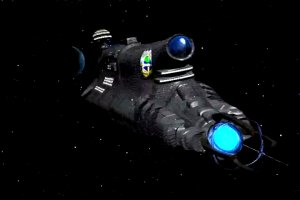
GALLANTRY INTRODUCTION - This is a self-executing video introduction to The Gallantry
campaign compressed with RAD Game Tools. Featuring original cinematics by Desler and Razorclaw X; running time 1:18. Optional, stand-alone file. Mac users can view the Cinematic using the Bink Player for Mac OS, available at the RAD web site (RAD
Game Tools). Switch your resolution to 640*480 before playing the cinematic.
MPQ:
GALLANTRY.EXE OR "The Gallantry" - Run this file instead of your regular Starcraft
application file. This executable contains all new portraits, unit responses,
unit data, splash screens, and interface music. Needed to play Episode I
EPISODE II:
This MPQ is an updated version of the Episode I MPQ which supports the extra
mission "Summit." It is also compatible with Episode I and the
forthcoming Episode II.
The Gallantry Preview Trailer

Return to The Gallantry Main Page
[an error occurred while processing this directive]